

Import Mails and Contacts to Your Gmail from Yahoo, AOL,Hotemail

Yes, Google rocking with Gmail. Google introduced new option in gmail for  all type of user. This will help you to import your mails and and contacts to gmail account from other mail accounts. This option helps you to import from yahoo, hotmail , AOL or other web mail and POP3 accounts. This will helps as to take all your important mails in a single account. You needs to do single steps for it. Let’s start..
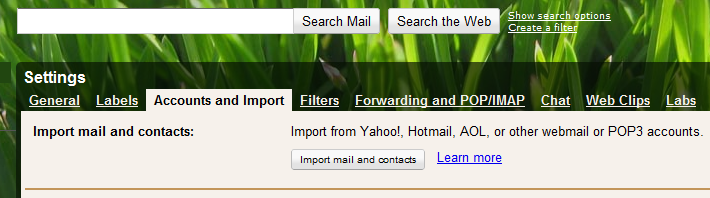
For use this option just click ” Import mail and Contacts ” option in menu bar. Then you can see import option in account and import. Then click ” import mail and contact ”
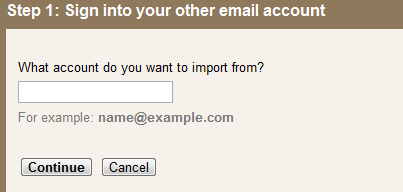
Enter Your mail ID here ( from which mail id you want to import )
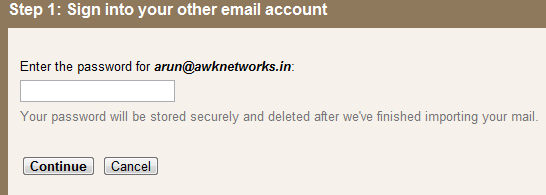
Enter the password for your ID and press Continue.
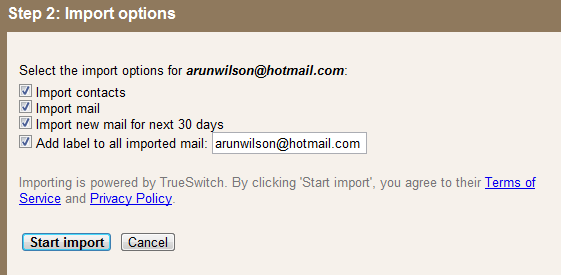
Mark which files you wants to import and press ” Start import ”
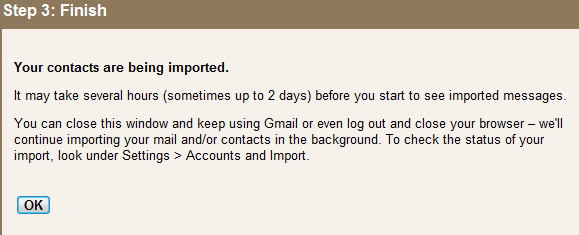
After completed process you will get conformation message and press ” OK ”
Mail import process successfully done and enjoy the power of Gmail

