

Are you planning to go for a trip to some tourist destinations ? Then should need to purchase maps after landing at your destination. Now you can save cash and time using Google Maps in your Android smart phone. It displays everything from hotels to places to routes to transport. Previous you won’t be able to get Google Maps to work on the go, unless you have Internet access. But now Google Maps can now be downloaded for offline viewing, perfect for those times when a phone loses a 3G signal or while abroad and without a roaming data plan.
It is a very useful function that will allow us to save the selected portion of the map on our smart phone to be able to then see later when we need. You can save maps of complete metro city with your working internet connection before you go to those areas. Once you download the maps, they are stored on your smartphone which can be viewed offline also.
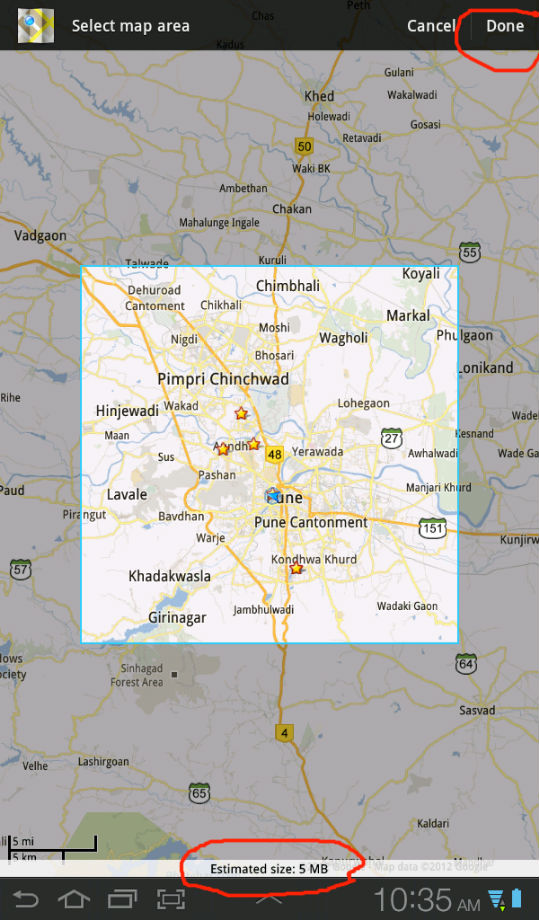
Once opened, select the area in map to be saved offline, managing it with the zoom. Navigate to the area for which you want to download the map and then select “Make available offline†from the menu. Google Maps will now display the size of the map which you want to download. Click on “Done†to confirm this step and the download process will start.
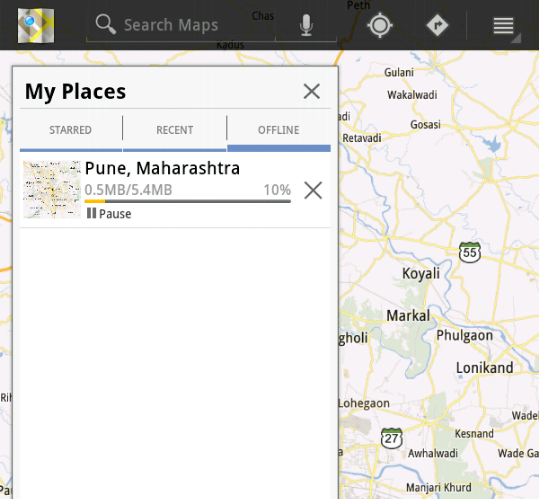
The only limitation is that they can not use the online service “Navigator” Google Android and that always requires an active connection. This feature is very useful for those who are not always connected to the internet and also help you to save money using data or 3G connection. Users can simply download the map and then travel to that location, without worrying about any data connection issues.
Download Google Maps for Android [Google Play]
You can follow us on Twitter or join our Facebook fan page to keep yourself updated on all the latest from Microsoft, Google and Apple.


Thanks Arun for sharing this. I have an android and will definitely try it out. What I have been doing off late is chatting and playing games online on a new social networking site called Cafe4tune. Cool site…social networking, chatting, gaming, live video streaming and karaoke.Â