

Windows 8 will have a new user interface called Metro for make Windows 8 more user friendly. Some third party developers developed Metro side bar for windows 7 and Vista . Â It brings the Windows 8 Metro user interface in the sidebar for Windows 7.
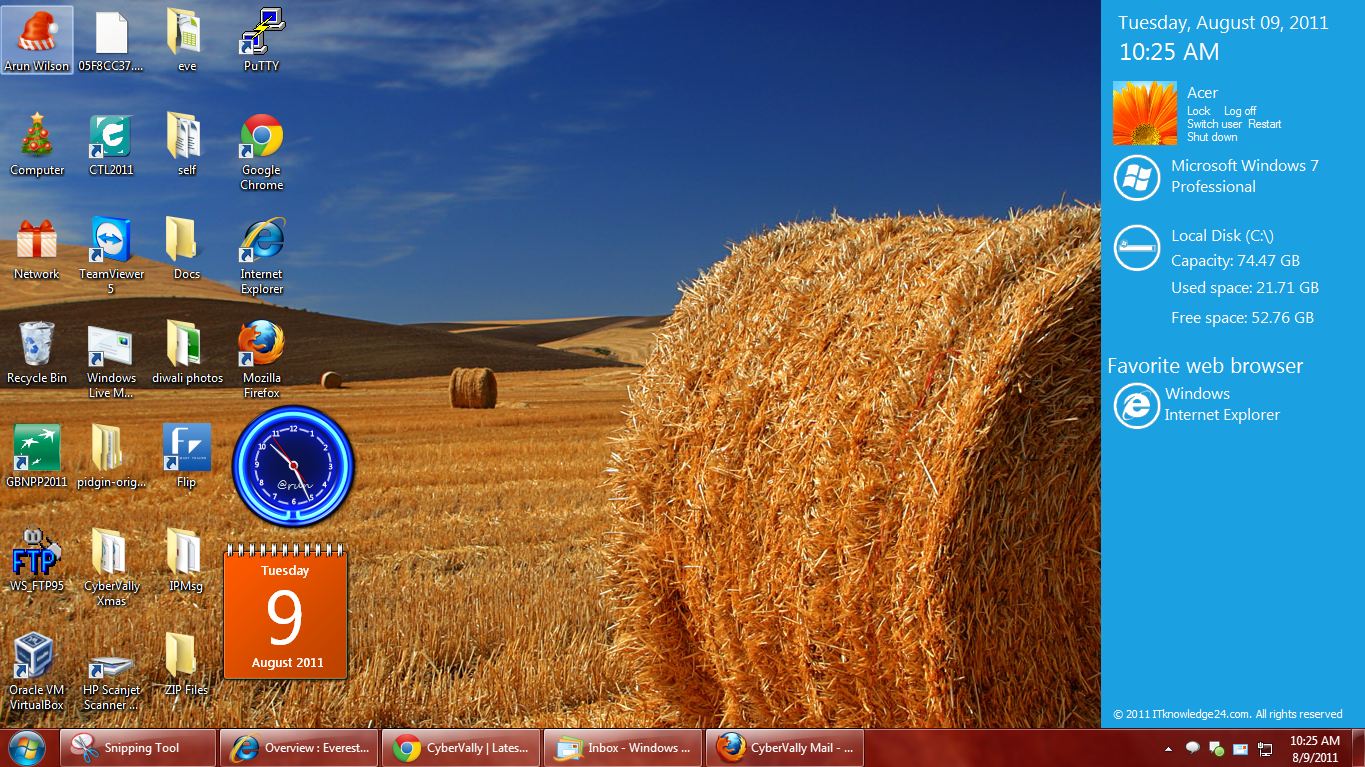
This sidebar comes with five different colors and you can be changed manually to match your current wallpaper. The Sidebar adds shortcuts to your favorite browser and showing used, available and total capacity of your hard disk, time and date, user account name and picture, and operating system version.Â
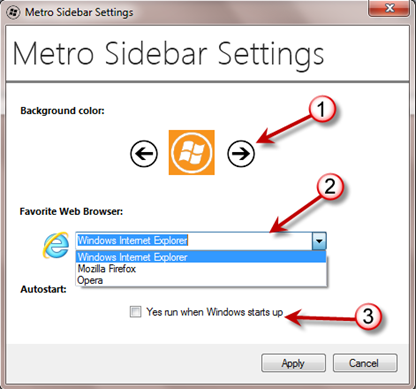
1) Change Color of Metro Sidebar
2) Select Your Favorite Browser.
3) Mark this option for run when Windows starts up.
This application is in portable version so you can use it without any installation. You can any time exit or start this application from Windows taskbar.
Download Metro Sidebar
You can follow us on Twitter or join our Facebook fan page to keep yourself updated on all the latest from Microsoft, Google and Apple.


Rainmeter seems to be more superb than this metro sidebar..its also a desktop customization software 🙂