

If you are looking for a tool for access any computer from any where in the word then you can try techinline remote desktop Sharing Software. Techinline is a remote support software that enables instant, secure, and trouble-free connections between remote computers over the web and to any where on the globe. It is powered by innovative Techinline Remoting technology.
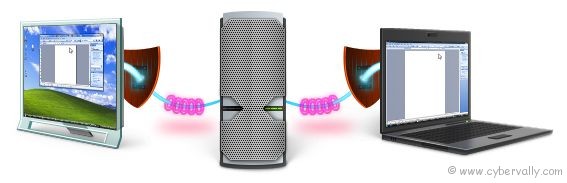
This remote desktop software allows you to instantly access and control a remote computer over the Internet, across firewalls and proxies, using any browser. There is no need to install any software or download any software. Techinline is a secure remote PC access software that provides 128-bit SSL encryption for all remote desktop sessions. Techinline Remote Desktop is designed for professional IT helpdesk personnel and personal use.
Main Features of Techinline
– Techinline Remote Desktop tool is browser based. No exe file installation is needed.
– Remotely control any desktop anywhere in the world
– Transfer files/clipboard between the remote and local computers
– Reboot and reconnect the remote computer
– Send and receive text chat messages
How to use Techinline Remote Desktop ?
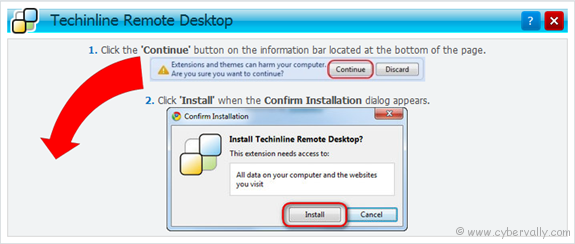
1. Click here and login with your user id and password and install require tool for start remote desktop tool on your browser.
2. Ask client to provide his/her six digits Client ID.
3. Enter client id in create session and press connect button.
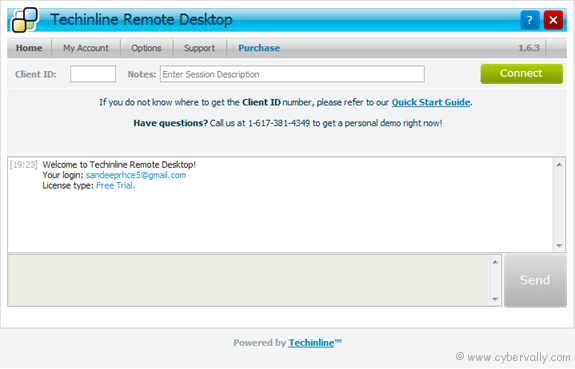
4. After success full connection, you can take control of remote computer.
In over view TechinLine is one of the best remote PC access software providers for IT industry. They even provide a 15 day trial and you can check their performance, reliability and security. Â Click here for try it.
If you’re a Facebook user and want to keep up on the latest Technology news why don’t you join the CyberVally Facebook page?


I used it today for a coaching session and can say that this tool is one of the easiest I’ve seen researching. That’s very important for me because my clients would use it and it has to be clear for them. Got all necessary functions I may need, fast and reliable in work.
thanks a lot!
Thanks for your valuable comment camilla….
Could please review this one – http://www.ammyy.com/en/index.html ?